Best AI Image Generators in 2026
Ten generators tested across portraits, products, typography, and art. Here is where each one excels.
Why Choosing the Right AI Image Generator Matters in 2026
The AI image generation landscape has changed dramatically over the past year. Models that once struggled with hands and text now produce photorealistic output that rivals professional photography. At the same time, pricing structures vary wildly, free tiers have shifted, and several new entrants have disrupted the market.
With so many options available, picking the best AI image generator depends entirely on what you need. A freelance designer has different priorities than a social media manager or a hobbyist creating fan art. This guide breaks down ten of the most capable AI image generators available today, comparing them on output quality, pricing, speed, ease of use, and practical limitations.
We tested each tool across multiple prompt categories, including photorealistic portraits, product mockups, typography-heavy designs, artistic illustrations, and complex multi-subject scenes, to give you a fair picture of where each one excels and where it falls short. Every generator was evaluated on the same hardware and with equivalent prompts where possible, though differences in prompt interpretation mean results are never perfectly apples-to-apples.
This comparison focuses specifically on image generation. If you are looking for video generation capabilities, those are covered in separate guides on our site.
Quick Comparison Table
| Generator | Best For | Free Tier | Starting Price | Text in Images | Photorealism |
|---|---|---|---|---|---|
| GPT Image 2 | Text rendering, instruction following | Limited via ChatGPT | $20/mo (ChatGPT Plus) | Excellent | Very High |
| Midjourney V7 | Artistic quality, aesthetics | None | $10/mo | Good | Very High |
| DALL-E 3 | Ease of use, ChatGPT integration | 3 images/day | $20/mo (ChatGPT Plus) | Very Good | High |
| Stable Diffusion 3.5 | Customization, local hosting | Fully free (local) | Free / $10 API | Moderate | High |
| Adobe Firefly 3 | Commercial safety, brand work | 25 credits/mo | $4.99/mo | Good | High |
| Ideogram 3 | Typography, poster design | 10 images/day | $8/mo | Best in class | High |
| Flux 1.1 Pro | Speed, API integration | Limited | $0.04/image API | Moderate | Very High |
| Leonardo AI | Game art, consistent characters | 150 tokens/day | $12/mo | Moderate | High |
| Seedream 5 | Realistic human faces | Limited | Credits-based | Good | Very High |
| PonPon | Multi-model access, flexibility | Daily free credits | Credits-based | Excellent (via GPT Image 2) | Very High |
The table above provides a high-level snapshot, but the real differences emerge when you look at each tool in depth. Pricing tiers, output consistency, prompt interpretation quirks, and workflow integration all matter as much as raw image quality. The sections below cover each generator individually.
GPT Image 2
What It Does Best
OpenAI's GPT Image 2 model represents a significant leap in instruction-following accuracy. It understands complex prompts with multiple subjects, spatial relationships, and specific style requests better than almost any competitor. Text rendering inside images is among the best available, making it a strong choice for anything involving logos, signs, or typographic elements. You can read a detailed breakdown of the model's capabilities in our complete guide to working with this model.
The model also excels at editing workflows. You can upload an existing image and ask for specific modifications, such as changing the background, adjusting colors, or adding elements, and it handles these requests with reasonable accuracy. This makes it useful for iterative design processes where you need to refine an image through multiple rounds of prompting.
Pricing and Access
GPT Image 2 is available through ChatGPT Plus ($20/month) and the OpenAI API. API pricing is based on resolution and varies from roughly $0.02 to $0.07 per image. Free-tier ChatGPT users get very limited image generation, typically a handful of images per day with longer wait times.
For teams and businesses, the API route is often more cost-effective at volume, though it requires technical setup. The ChatGPT Plus route is simpler but comes with usage caps during peak hours.
Limitations
Generation speed can be slow, especially at higher resolutions. The model sometimes over-interprets prompts, adding details the user did not request. Content filtering is strict, which can block legitimate creative work such as medical illustrations or artistic nudity. The 1024x1024 default resolution, while adequate for web use, falls short for print-quality work without upscaling.
Midjourney V7
What It Does Best
Midjourney has long been the benchmark for aesthetic quality, and V7 continues that tradition. The model produces images with a distinct sense of lighting, composition, and mood that few competitors match. It handles cinematic scenes, character design, and atmospheric landscapes with particular skill. Where other generators produce technically correct images, Midjourney tends to produce images that feel intentional and art-directed.
V7 has also made meaningful improvements in prompt coherence. Earlier versions sometimes ignored parts of complex prompts or hallucinated elements. V7 follows multi-part instructions more reliably, though it still occasionally takes creative liberties that other models would not.
Pricing and Access
Midjourney starts at $10/month for the Basic plan (200 images) and goes up to $120/month for the Mega plan with fast generation and commercial use rights. There is no free tier. Access is through the Midjourney website and Discord bot. The web interface has improved substantially and now supports image editing, variation generation, and style references.
Limitations
The Discord-based workflow, while still supported, feels dated compared to web-native interfaces. Photorealistic human faces, while improved in V7, still occasionally hit the uncanny valley on close-up portraits. Text rendering has improved but remains behind GPT Image 2 and Ideogram. The lack of a free tier means you cannot test the current model quality without committing to a subscription.
DALL-E 3
What It Does Best
DALL-E 3 remains one of the most accessible AI image generators thanks to its deep integration with ChatGPT. Its strength lies in understanding natural language prompts without requiring prompt engineering. You can describe what you want conversationally, including complex scenes with specific compositions, and get solid results. The conversational interface means you can refine images through dialogue rather than rewriting prompts from scratch.
For users who find prompt engineering intimidating, DALL-E 3 provides the gentlest learning curve. ChatGPT automatically rewrites your casual descriptions into optimized prompts behind the scenes, which generally improves output quality without requiring the user to learn prompting techniques.
Pricing and Access
Included with ChatGPT Plus at $20/month. Free ChatGPT users get approximately 3 images per day. The DALL-E 3 API is also available for developers at similar per-image pricing to GPT Image 2 at lower resolutions.
Limitations
Output quality sits a tier below GPT Image 2, Midjourney V7, and Flux in terms of fine detail and photorealism. The model tends toward a slightly illustrated look even when photorealism is requested. It has been partially superseded by GPT Image 2 within OpenAI's own ecosystem, and it is unclear how much continued investment DALL-E 3 will receive going forward. For users already paying for ChatGPT Plus, there is little reason to prefer DALL-E 3 over GPT Image 2.
Stable Diffusion 3.5
What It Does Best
Stable Diffusion remains the go-to choice for users who want full control over their image generation pipeline. The open-source model can run locally on consumer GPUs, supports LoRA fine-tuning, ControlNet integration, and a massive ecosystem of community models and extensions. For developers building products, the permissive licensing and local-first approach eliminate API costs at scale.
The community ecosystem is where Stable Diffusion truly differentiates itself. Thousands of fine-tuned models for specific styles, characters, and use cases are available on platforms like CivitAI and Hugging Face. ControlNet allows for precise pose, depth, and edge-guided generation that no closed-source API matches in terms of fine-grained control.
Pricing and Access
Fully free for local use. Stability AI offers an API starting at around $0.03 per image. Third-party platforms like ComfyUI and Automatic1111 provide user-friendly interfaces at no cost. Cloud GPU rentals (Runpod, Vast.ai) typically cost $0.30-$0.80 per hour for capable instances.
Limitations
Setting up local generation requires technical knowledge and a capable GPU (8GB+ VRAM recommended, 12GB+ for comfortable use). Out-of-the-box quality without fine-tuning is good but not best-in-class compared to the latest closed-source models. Text rendering is weaker than closed-source competitors. The fragmented ecosystem means keeping up with the latest models, extensions, and workflows requires ongoing effort.
Adobe Firefly 3
What It Does Best
Adobe Firefly is built for commercial safety. Every image generated is cleared for commercial use with full indemnification, a guarantee no other major generator matches. If a client or legal team asks whether your AI-generated assets are safe to publish, Firefly is the only tool that comes with a formal IP indemnity backing from a Fortune 500 company.
The integration with Adobe Creative Cloud means generated images flow directly into Photoshop, Illustrator, and other Adobe tools. Generative Fill and Generative Expand in Photoshop, both powered by Firefly, allow seamless blending of AI-generated content with existing designs. For teams already embedded in the Adobe ecosystem, this integration eliminates export-import friction.
Pricing and Access
The free tier provides 25 generative credits per month, enough for light experimentation but not serious production work. The standalone plan starts at $4.99/month for 100 credits. Creative Cloud subscribers get Firefly credits included in their existing subscription, with the amount varying by plan tier.
Limitations
Creative range is narrower than competitors. Firefly tends to produce clean, polished, stock-photo-style images but struggles with highly stylized, artistic, or edgy prompts. The content policy is the most conservative of any major generator, limiting certain creative directions. Output quality, while professional, lacks the distinctive character of Midjourney or the technical precision of GPT Image 2.
Ideogram 3
What It Does Best
Ideogram 3 has carved out a clear niche as the best AI image generator for typography. If your work involves posters, book covers, social media graphics, or anything where readable text needs to appear inside the image, Ideogram is the strongest option. The text rendering accuracy is consistently the highest across all generators tested. Where GPT Image 2 handles single words and short phrases well, Ideogram can render full sentences and even paragraphs with reliable accuracy.
Beyond typography, Ideogram 3 produces solid general-purpose images with a clean aesthetic. It handles product mockups, flat illustrations, and design-oriented compositions competently, making it a viable primary tool for graphic designers rather than a one-trick typography tool.
Pricing and Access
Free tier offers 10 images per day with standard speed. Paid plans start at $8/month for faster generation, higher resolution, and priority access. The pricing is competitive, especially given the typography capabilities that would otherwise require manual design work.
Limitations
Photorealism, while improved in version 3, still trails GPT Image 2, Midjourney V7, and Flux. The user interface is functional but basic compared to more polished competitors. Community and ecosystem support are smaller than Midjourney or Stable Diffusion, which means fewer tutorials, style guides, and shared prompts.
Flux 1.1 Pro
What It Does Best
Flux from Black Forest Labs has quickly established itself as one of the most technically impressive open-weight models available. The 1.1 Pro version delivers photorealistic output with exceptional detail and coherence. Generation speed is notably fast, especially through optimized API providers. Flux excels at photorealistic scenes, product photography, and architectural visualization.
The model's handling of complex lighting scenarios, reflections, and material textures is particularly strong. For product photography mockups and architectural renders, Flux produces output that requires minimal post-processing. The open-weight nature of the base model also means an active community is developing fine-tuned variants and extensions.
Pricing and Access
The base Flux model is available as open weights for local use. The Pro version is available through various API providers at approximately $0.04 per image, making it one of the most affordable high-quality options at the API level. Several platforms integrate Flux access into their interfaces, providing a simpler alternative to direct API usage.
Limitations
The open-weight versions require significant hardware for local inference (16GB+ VRAM recommended for the full model). Text rendering accuracy is moderate, trailing dedicated text-focused models. The model is newer than Stable Diffusion, so community resources, tutorials, and fine-tuned variants are less extensive, though growing rapidly.
Leonardo AI
What It Does Best
Leonardo AI targets game developers, concept artists, and creative professionals who need consistent character and environment design. Its model fine-tuning capabilities allow users to create custom models trained on specific art styles, making it possible to establish and maintain a consistent visual identity across dozens or hundreds of generated images.
The platform offers specialized tools for texture generation, character consistency across poses, and tile-based asset creation. For game studios and indie developers in particular, these features address real production needs that general-purpose generators do not. The real-time canvas feature also supports collaborative workflows where multiple team members can iterate on the same image.
Pricing and Access
Free users receive 150 tokens per day (approximately 30 images depending on settings and model choice). Paid plans start at $12/month with more tokens, faster generation, and access to premium models. The platform includes a web-based editor with inpainting, outpainting, and AI canvas tools.
Limitations
Output quality varies significantly depending on which base model and settings you choose. The token system can be confusing, with different features and models consuming different amounts. Photorealistic output is good but not industry-leading. The platform has many features, which creates a steeper learning curve for new users compared to simpler tools.
Seedream 5
What It Does Best
Seedream 5 from ByteDance has emerged as a strong contender in realistic human portrait generation. The model handles skin textures, lighting on faces, and natural expressions with remarkable fidelity. It also performs well on landscape and product photography prompts, with a natural color palette that avoids the over-saturated look common in other generators. Our detailed review of this model's portrait capabilities covers the specific scenarios where it outperforms the competition.
One of Seedream 5's less discussed strengths is its handling of Asian facial features and diverse skin tones. Where many Western-developed models show bias toward certain demographics, Seedream 5 produces more consistently accurate results across a broader range of ethnicities and face shapes.
Pricing and Access
Seedream 5 is available through select platforms that integrate its API, including PonPon. Pricing varies by platform but is generally competitive with other premium generators. Direct API access outside of integrated platforms is more limited compared to OpenAI or Stability AI models.
Limitations
Direct access outside of integrated platforms is limited, which means you are dependent on third-party platforms for the interface and pricing structure. The model is newer and has a smaller community producing guides and tips. Artistic and stylized outputs are serviceable but not where Seedream 5 shines brightest. If your primary use case is illustrations, fantasy art, or highly stylized content, other generators will serve you better.
PonPon: A Multi-Model Approach
What It Does Best
PonPon takes a fundamentally different approach by aggregating multiple leading image models into one unified creative workspace. Instead of committing to one generator, users can access GPT Image 2, Midjourney V7, Nano Banana Pro, and Seedream 5 through a unified interface with shared credits. This means you can use the best tool for each specific task without maintaining separate subscriptions or learning different interfaces.
For a text-heavy social media graphic, switch to GPT Image 2. For an atmospheric landscape, use Midjourney V7. For a realistic portrait, reach for Seedream 5. For fast iteration on creative concepts, try the optimized inference from Nano Banana Pro. All from one account, one credit pool, one interface.
The practical advantage becomes clear when you consider the cost of subscribing to each platform individually. Midjourney alone starts at $10/month, ChatGPT Plus for GPT Image 2 costs $20/month, and other tools add further costs. A unified credit system lets you allocate your budget across models based on actual usage patterns rather than paying fixed subscriptions whether you use them that month or not.
Pricing and Access
PonPon offers daily free credits that refresh automatically, making it accessible for casual users and evaluation purposes. Paid plans use a unified credit system that works across all available models. Credits are consumed per generation, with costs varying based on the model and resolution selected.
Limitations
As an aggregator, PonPon depends on third-party model availability. If an upstream provider experiences downtime, that model may temporarily be unavailable. Some niche features of individual platforms, like Midjourney's Discord community or Stable Diffusion's LoRA ecosystem, are not replicated. Advanced model-specific parameters may be simplified in the unified interface to maintain consistency across models.
How to Choose the Right AI Image Generator
Selecting the right tool depends on matching your specific needs to each generator's strengths. Below are recommendations organized by common use cases.
For Professional Design Work
If you produce commercial content and need legal safety, Adobe Firefly 3 is the conservative choice with its IP indemnification guarantee. If quality is the priority and you have the budget, Midjourney V7 delivers the most aesthetically polished results. Designers who need flexibility across styles will benefit from the multi-model access that a unified platform provides, allowing them to pick the right model for each client and project.
Consider also whether your workflow involves iteration. Tools with strong editing capabilities, like GPT Image 2's image modification features or Leonardo's canvas tools, save time when a near-perfect image needs targeted adjustments rather than complete regeneration.
For Social Media and Marketing
Speed and volume matter here. Ideogram 3 is ideal if your content is text-heavy, such as quote graphics, promotional banners, or event announcements. GPT Image 2 handles diverse prompt types well and produces consistently usable results across different content categories.
PonPon works particularly well for social media teams that need to match different visual styles across campaigns without switching platforms. A brand awareness campaign might call for Midjourney's atmospheric aesthetics, while a product launch might need GPT Image 2's precise instruction following, and both can be done within the same workflow.
For Developers and Technical Users
Stable Diffusion 3.5 is unmatched for local deployment, fine-tuning, and integration flexibility. The open-source license means no per-image costs at any scale, and the ability to fine-tune on custom datasets enables specialized applications that no API-based service can match. Flux 1.1 Pro offers a strong balance of quality and API simplicity for developers who want high-quality generation without managing infrastructure.
Both are well-suited for building image generation into products and workflows. The choice between them often comes down to whether you need the extensive ecosystem of Stable Diffusion (LoRAs, ControlNet, community models) or the superior out-of-the-box photorealism of Flux.
For Hobbyists and Personal Projects
Free tiers matter most here. Leonardo AI's 150 daily tokens and Ideogram's 10 free images per day provide the most generous free access among commercial platforms. PonPon's daily free credits also make it a practical option for exploring multiple models without cost. Stable Diffusion remains fully free for anyone willing to set up local generation. If you are specifically looking for no-cost options, our guide covering the best free tools for image generation this year provides a more focused comparison.
For Realistic Portraits and Photography
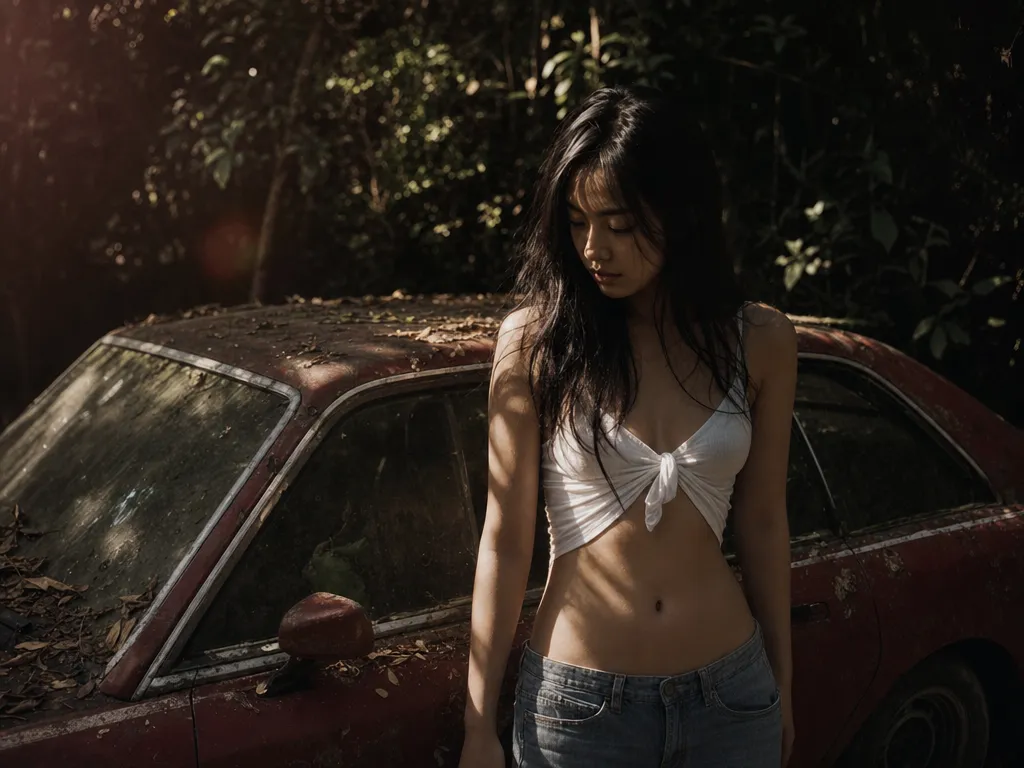
Seedream 5 and GPT Image 2 lead in photorealistic human subjects. Flux 1.1 Pro is also strong in this category, particularly for full-body shots and environmental portraits. Midjourney V7 produces excellent results but with a slightly more stylized quality that reads more as editorial photography than candid realism.
For headshots and close-up portraits specifically, Seedream 5's handling of skin texture, pore detail, and natural lighting is the current benchmark. For product photography where humans appear alongside products, GPT Image 2's instruction-following precision helps ensure the product is rendered accurately while the human subject looks natural.
Key Trends Shaping AI Image Generation in 2026
Multi-Model Access Is Becoming Standard
The days of being locked into a single AI image generator are ending. Users increasingly want the ability to switch between models depending on the task. Platforms that aggregate multiple generators under one roof are gaining traction because they eliminate the friction of managing multiple subscriptions and interfaces. The trend reflects a maturing market where users understand that different models have different strengths.
Text Rendering Has Been Solved
A year ago, generating accurate text inside AI images was unreliable at best. In 2026, GPT Image 2 and Ideogram 3 both handle text with high accuracy, even for multi-line text at various sizes and angles. This opens up practical use cases like poster design, social media templates, and branded materials that were previously impractical with AI generation. For designers, this eliminates a common post-processing step where text had to be added manually in Photoshop after generation.
Quality Gaps Are Narrowing
The difference between the best and fifth-best AI image generator is smaller than ever. All major models now handle complex compositions, accurate anatomy, and coherent lighting with reasonable consistency. The differentiators have shifted from raw quality to workflow integration, pricing structure, customization options, and specialized strengths. This is good news for users, as it means more viable options and less risk of choosing a tool that produces noticeably inferior output.
Local and Open-Source Models Keep Improving
Stable Diffusion and Flux have demonstrated that open-weight models can compete with closed-source APIs on quality. For privacy-sensitive applications, high-volume generation, or custom model training, local deployment remains a compelling option that continues to gain ground. The availability of cheaper consumer GPUs with more VRAM has also lowered the hardware barrier to local generation.
Consistency and Control Are the Next Frontier
The next competitive battleground is not raw image quality but consistency and control. Being able to generate multiple images of the same character in different poses, maintain a consistent art style across a project, and precisely control composition through reference images or layout guides are the features that separate productive workflows from one-off generation. Leonardo AI leads in character consistency, while ControlNet extensions for Stable Diffusion offer the most granular composition control.
Final Verdict
There is no single best AI image generator that wins across every category. Midjourney V7 remains the aesthetic champion for artistic and cinematic imagery. GPT Image 2 leads in instruction following and text accuracy. Stable Diffusion 3.5 is the power user's tool of choice for customization and local deployment. Adobe Firefly 3 is the safe pick for commercial work with legal protection. Ideogram 3 dominates typography. Flux 1.1 Pro delivers the best balance of photorealism and speed.
For most users who want access to the best output without committing to one model, a multi-model platform like PonPon provides the most practical path forward. Being able to switch between GPT Image 2, Midjourney V7, Nano Banana Pro, and Seedream 5 within one workspace means you always have the right tool for the job without the overhead of managing multiple subscriptions.
The best approach in 2026 is to match the generator to the task rather than searching for a one-size-fits-all solution. Use this guide as a starting point, test the free tiers of the tools that match your needs, and build a workflow around the models that consistently deliver the results you are looking for.