Voiceover and audio basics
The PonPon audio studio: text-to-speech, voice changer, dubbing into 31 languages, sound effects, music, and multi-voice dialogue — powered by ElevenLabs and MiniMax.
The audio studio covers everything you'd add to a video after the picture. It has six modes, switched from the bar at the bottom — voice and music are powered by ElevenLabs, with MiniMax as a second voice option.
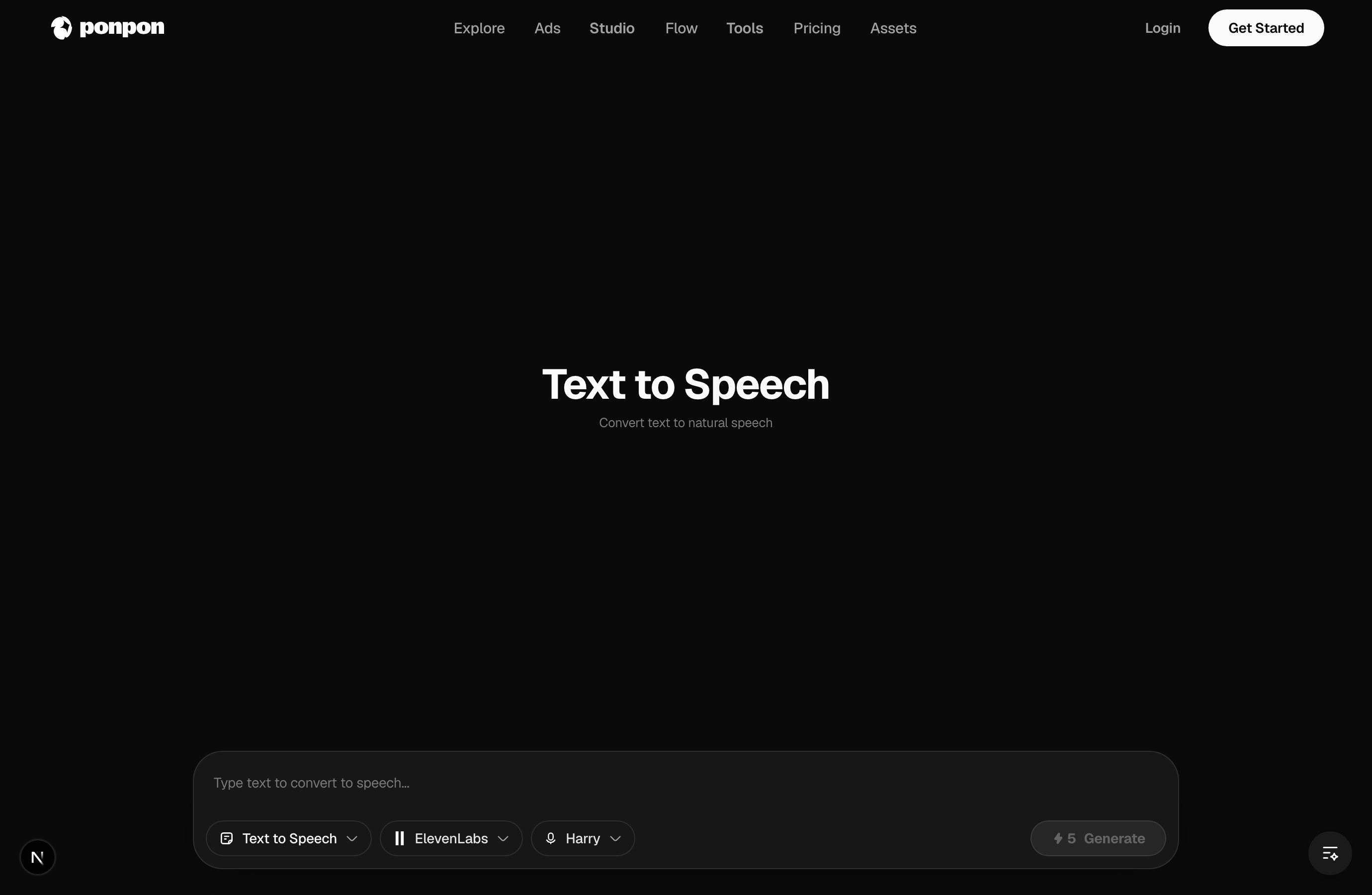
The composer bar works the same in every mode: the left dropdown switches the mode (text to speech, voice changer, dubbing, and so on), the middle controls pick the provider and voice, and Generate shows the credit cost.
Voiceover (text to speech)
Type your script, pick a voice, and generate spoken audio for narration, explainers, ads, and faceless videos. Open it at audio › text to speech.
- Choose between ElevenLabs and MiniMax voices. MiniMax adds emotion (neutral, happy, sad, angry, and more) and speed controls.
- Write the way it should be spoken, not written — short sentences, natural phrasing. Punctuation controls the pauses.
Voice changer
Already have a recording? The voice changer re-voices it in a different voice while keeping your timing and delivery — handy for anonymizing or restyling narration. There's a denoise option to clean up the source.
Dubbing
Translate and re-voice existing audio or video into another language with dubbing. PonPon supports 31 target languages, so one video can reach many markets without re-recording.
Sound effects
Describe a sound — "heavy rain on a tin roof", "sci-fi door whoosh" — and generate it in the sound effects mode. You can set the clip length and how strictly it follows your prompt. Layer effects under a clip to make a silent render feel alive.
Music
Generate background music to set the mood in the music mode. Prompt a style and energy ("warm lo-fi, relaxed" / "driving electronic, upbeat") rather than a specific song, set the length, and toggle instrumental if you don't want vocals.
Dialogue
The dialogue mode generates a multi-voice conversation: write the script line by line and assign a different voice to each speaker.
Putting it together
A typical faceless video is: generate the visuals in the video generator, add a voiceover, drop in sound effects and music, then assemble in Flow or Studio.
Related articles
- Text-to-video basicsHow video generation works on PonPon: text-to-video vs image-to-video, choosing models like Veo 3.1, Sora 2 and Kling 3.0, and the Edit and Motion Control tabs.
- Your first AI videoStep by step: sign in, write a prompt, pick a model, set aspect ratio, duration and resolution, generate, and download your first AI video on PonPon.
- What is PonPonPonPon is an AI media studio — generate video, images, and audio, edit them, and run one-click effects, with 30+ models in one browser tab.