Create an AI influencer
Build a polished, consistent AI influencer presence from your own photos: style one selfie into an endless on-brand set with Muse, then animate it and give it a voice — start to finish in PonPon.
An AI influencer is a polished, consistent online persona — the same recognizable face across every post, styled and produced with AI. The realistic way to build one in PonPon is to start from your own photos and let AI handle the styling, the "shoot", and the motion, so you can post an endless, on-brand feed without a studio. The whole game is consistency: every post has to read as the same person.
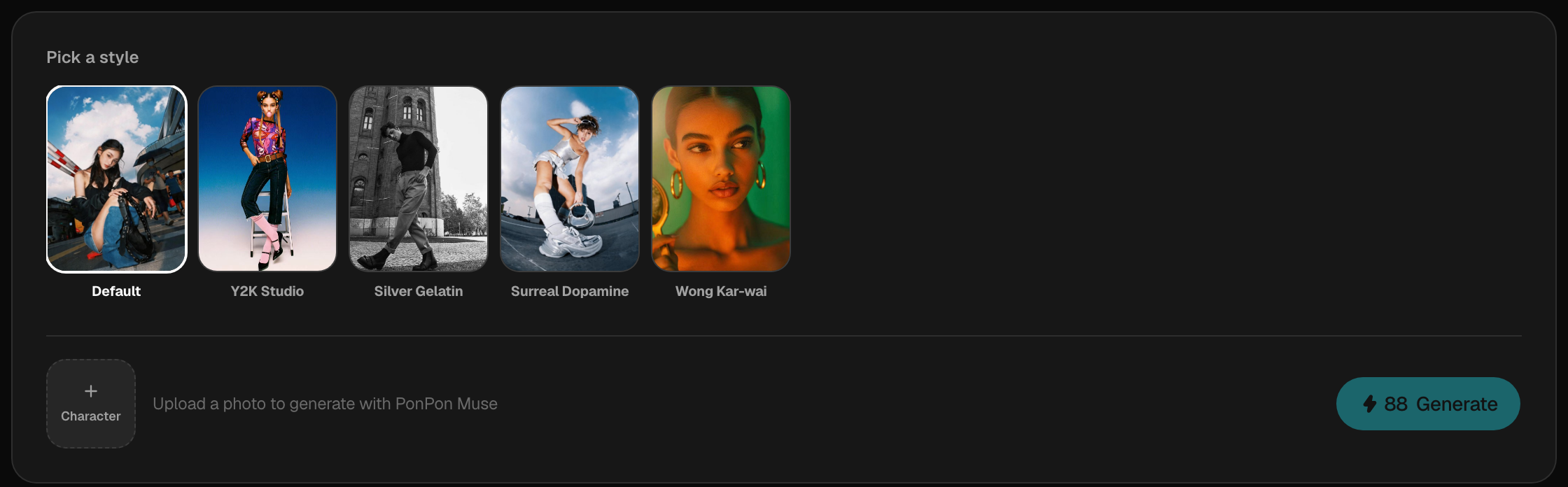
Step 1 — Start with a strong base photo
Everything keys off one face, so begin with a clean, front-facing photo of yourself: even lighting, face fully visible, no sunglasses or heavy shadows. Muse reads that face and preserves it across every look it generates — so the sharper the source, the more consistent your whole feed.
Step 2 — Generate a consistent set with Muse
Open Muse — PonPon's guided portrait pipeline. Upload your photo once, then build a library of looks from its preset prompt library: search by keyword to match a vibe (street, editorial, Y2K, cinematic…), or roll a random batch when you just want options. Muse keeps your face across every one, so a single upload becomes dozens of coordinated, on-brand portraits. See the Muse guide for the styles, batch presets, and best-photo tips.
Want a look the presets don't cover? The open image generator, with your photo dropped in as a reference — or Nano Banana Pro for identity-preserving edits — extends the set while holding the same face. See Prompting for images.
Step 3 — Bring the persona to life
Turn the best stills into clips. Drop a portrait into the Start frame of the video generator for a moving shot, or make the persona speak: generate a voiceover, then drive a talking-avatar lip-sync so the mouth matches the words. Kling 3.0 is strong on lip-sync and dialogue. See the Image-to-video guide.
She looks into the camera and says hello with a warm smile, relaxed and natural, slight head movement. Vertical 9:16, 5 seconds.
Step 4 — Give it a voice and post
Pick one voice and keep it consistent — the voice is part of the identity. Assemble multi-shot pieces in Studio, add a music bed, and export 9:16 for Reels / TikTok.
Common fixes
| Problem | Try this |
|---|---|
| The face changes between looks | Use a sharper, front-lit base photo — Muse can't hold a face it can't read clearly |
| Looks feel repetitive | Roll a random batch or search a different keyword for fresh presets |
| A preset distorts the face | Swap to a cleaner base photo before changing the preset; source quality fixes more than preset choice |
| The voice varies post to post | Lock one voice and reuse it every time — the voice is part of the identity |
| Lip-sync looks off | Use a clear front-facing portrait and a lip-sync-strong model like Kling 3.0 |
| "Photos of real people aren't supported" | A video model's privacy filter — switch to Kling 3.0 or Veo 3.1 to animate a real face |
Keep it consistent over time
- Always start from the same base face, so every look reads as one person.
- Reuse the same voice and the same handful of Muse keywords that define your aesthetic.
- Save your best looks as references, so a new post is always one generation away.
Related articles
- Muse portraitsPonPon Muse turns a selfie into ultra-realistic fashion portraits that keep your face. How it works, the eight styles, batch presets, couple mode, and getting the best result.
- Talking avatars & lip-syncMake a character speak on PonPon: how lip-sync drives a face from an audio track with Kling 3.0, where the voice comes from, a worked example, source tips, and pairing with dubbing.
- Image-to-video guideAnimate a still you already have: pick a strong source image, use Start and End frames, write motion (not a scene), and choose the best model for image-to-video on PonPon.
- Prompting for imagesA practical method for AI image prompts on PonPon: a reliable structure, weak-to-strong rewrites, the style and lighting vocabulary models understand, references, and fixes.